// FREE WINDOWS SUPPORT CHECKER
Is your Windows still supported?
One click tells you whether this PC runs Windows 10 or 11; pick the version it shows and you get the date its security updates end, in plain words, with what to do next. Nothing is sent to us.
- ● Instant & free
- ● Microsoft’s own dates
- ● Checked 11 October 2026
// CHECK THIS PC
Checking which Windows this is…
Now pick the version your PC shows (Settings > System > About)Dates are for Windows 11 Home and Pro (and Pro Education and Pro for Workstations), from Microsoft’s release information, checked 11 October 2026. Enterprise and Education editions get longer. Nothing on this page is sent to us.
Every Windows version, and when its updates end
| Version | OS build | Updates end (Home & Pro) |
|---|---|---|
| Windows 11, version 26H2 | 26300 | 10 October 2028 |
| Windows 11, version 26H1 | 28000 | 14 March 2028 |
| Windows 11, version 25H2 | 26200 | 12 October 2027 |
| Windows 11, version 24H2 | 26100 | 13 October 2026 |
| Windows 11, version 23H2 | 22631 | Ended 11 November 2025 |
| Windows 11, version 22H2 | 22621 | Ended 8 October 2024 |
| Windows 11, version 21H2 | 22000 | Ended 10 October 2023 |
| Windows 10 | 19045 (22H2) | Ended 14 October 2025; ESU to 12 October 2027 |
| Windows 8.1 | – | Ended 10 January 2023 |
| Windows 7 | – | Ended 14 January 2020 |
Sources: Microsoft Windows 11 release information and Windows 10 Extended Security Updates, checked 11 October 2026. Windows 11 26H1 comes only on certain new PCs. Enterprise and Education editions are supported for longer.
// CHECK IT BY HAND
Find your exact version in ten seconds
- Press the Windows key + R, type winver and press Enter.
- The window says, for example, Version 24H2 (OS Build 26100.9550). The part before the brackets is your version.
- Or open Settings > System > About and look under Windows specifications for Edition, Version and OS build.
A version that has reached the end of its updates still works, but security holes found after that date are not fixed. On Windows 11 the answer is usually just to let Windows Update move you to the newest version. On Windows 10, the choice is the free Extended Security Updates enrolment, moving to Windows 11 if the PC can run it, or a new PC.
// THE EXACT ANSWER
Want the exact version and your ESU status?
FREE · WINDOWS 10 & 11 · NO SIGN-UP
Windows Update, read from Windows itself
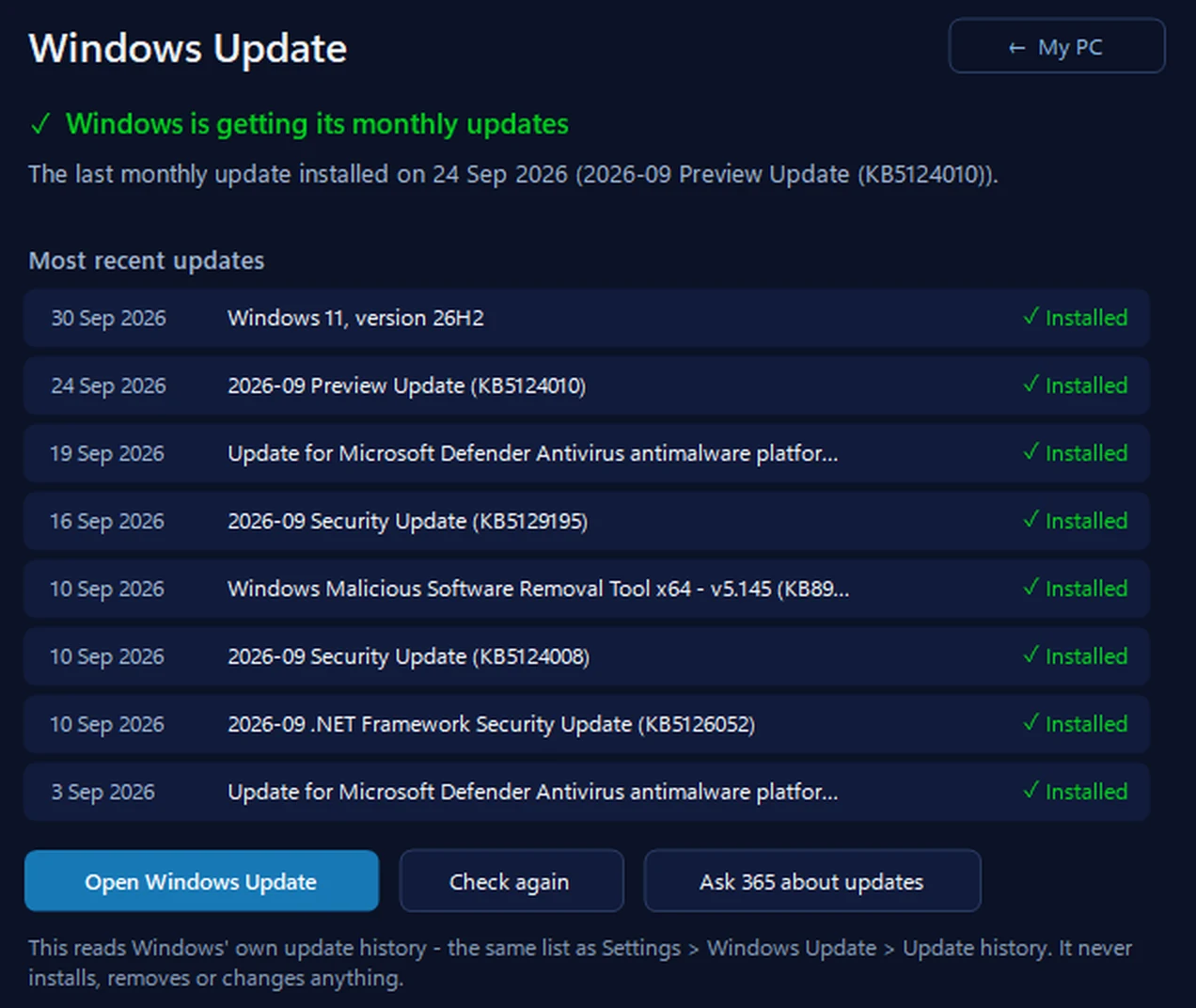
Our free app reads the exact Windows version from Windows itself, says whether the monthly updates are actually arriving and how long this version will keep getting them, and on Windows 10 checks whether this PC is really enrolled in Extended Security Updates. It reads and reports: it doesn’t enrol you in anything or change Windows.
In the app: My PC, then Windows Update.
Download 365 PC Manager free ↓What else it checks
Made by us, a family IT firm in Bournemouth since 1995, and digitally signed by 365 Techies Ltd.
// GOOD QUESTIONS
Frequently asked
Is Windows 10 still supported?
Microsoft’s free support for Windows 10 ended on 14 October 2025. A Windows 10 PC only gets security fixes now if it is enrolled in Extended Security Updates, which run to 12 October 2027 and are free if you sync your settings to a Microsoft account or use 1,000 Microsoft Rewards points (otherwise about $30). How to enrol.
What happens when my Windows version stops getting updates?
Windows keeps working, but any security hole found after that date stays open. That matters most for anything you do online: email, banking and shopping. Moving to a supported version closes the gap.
How do I update to the newest Windows 11 version?
Open Settings, then Windows Update, and click Check for updates. Microsoft moves Home and Pro PCs that aren’t managed by an IT department to the newer version automatically. If it isn’t offered, Microsoft may be holding it back on that PC for a compatibility problem; don’t force it.
Why can’t this page tell exactly which Windows 11 version I have?
Browsers only share whether a PC runs Windows 10 or Windows 11, not which version, and Firefox and Safari don’t share even that. Press Windows key + R, type winver and press Enter to see your version, then pick it on the checker.
Do Enterprise and Education editions have the same dates?
No. Windows 11 Enterprise and Education versions are supported for 36 months instead of 24, so their dates are later. The dates here are for Home, Pro, Pro Education and Pro for Workstations.
Updates stuck, or not sure what to do?
If Windows Update keeps failing, a newer version is never offered, or you’re weighing up ESU against a new PC, we check it remotely while you watch. Remote help from £20, no fix, no fee.
01202 775566 · help@365techies.co.uk · MON–FRI 9AM–5PM