Create a strong password in one click
Generate a strong random password — or a passphrase you can actually remember — instantly and securely. Made in your browser, never sent anywhere.
★ Rated 4.9 on GoogleFamily-run since 1995No fix, no fee
Click Generate…
🔒 Generated right here in your browser with secure randomness — never sent anywhere or stored.
Too many passwords to remember?
That’s exactly what a password manager is for — one strong password unlocks the rest, and it fills them in for you. We set them up for Dorset homes and businesses and show you how to use them, in plain English.
Also: Cybersecurity Help
// ALSO IN OUR FREE WINDOWS APP
Prefer it on your PC?
FREE · WINDOWS 10 & 11 · NO SIGN-UP
Make strong passwords on your PC
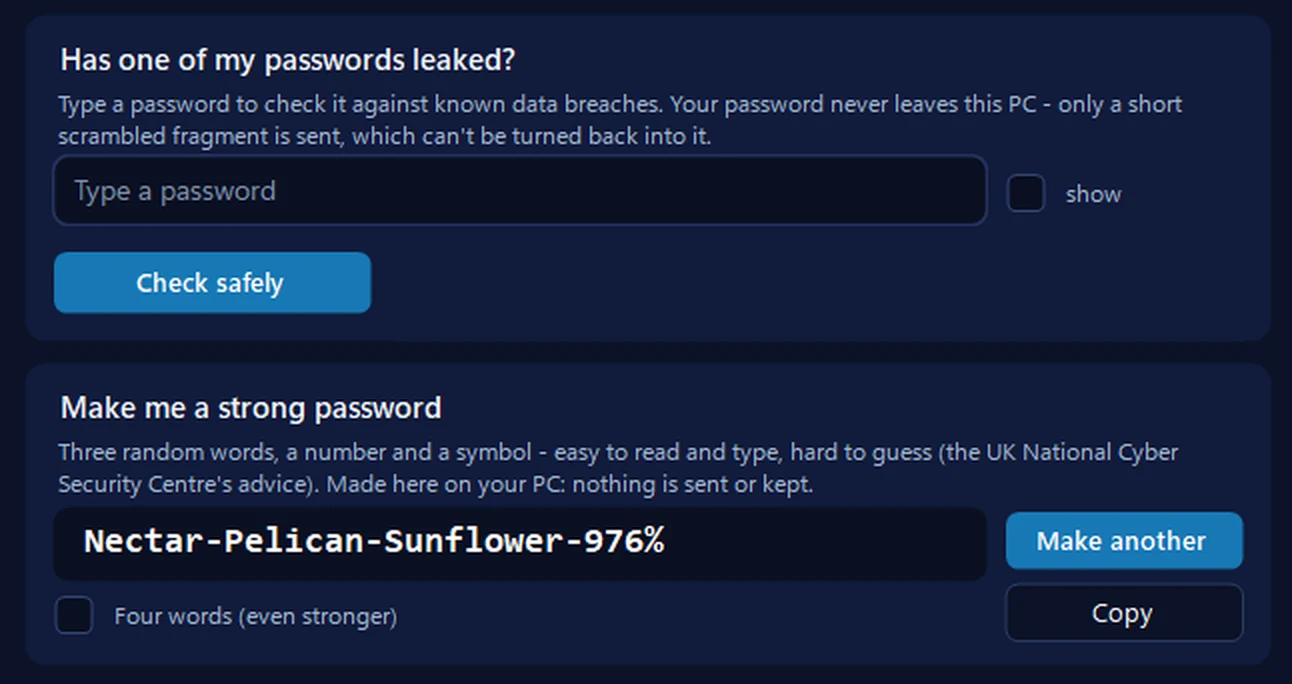
Our free app makes the same kind of password — three random words, a number and a symbol, following the UK National Cyber Security Centre’s advice — with one click, and four words if you want it even stronger. It also checks whether a password has leaked, and rates how strong one is as you type.
Everything happens on your PC: nothing typed or made there is sent anywhere or kept, and a password you copy is kept out of Windows’ clipboard history.
In the app: Safety, then Scam check.
Download 365 PC Manager free ↓What else it checks
Made by us, a family IT firm in Bournemouth since 1995, and digitally signed by 365 Techies Ltd.
// GOOD QUESTIONS
Frequently asked
Is it safe to generate a password here?
Yes — completely. The password is created in your browser using secure randomness, and it’s never sent to us or anywhere else. Nothing is stored.
What makes a strong password?
Length and unpredictability. A long random password (16+ characters) or a passphrase of several random words is far stronger than a short complicated one — and the golden rule is a different password for every account.
Random password or memorable passphrase?
A random password is strongest and perfect for a password manager to remember for you. A passphrase (like ‘Otter-Lantern-River-42’) is easier to type and recall — ideal for the few passwords you need to know by heart, such as your password manager itself.
How do I keep track of all my passwords?
A password manager — it remembers them all behind one strong password and fills them in for you. We set them up for homes and businesses and show you how. Ask us.
Should I check if my old passwords are safe?
Good idea — try our password breach checker to see if any have appeared in a data breach, and change any that have.
One strong password to rule them all
A password manager remembers every login for you, behind a single strong password — we set it up and make it simple, for homes and businesses across Dorset.
01202 775566 · help@365techies.co.uk · MON–FRI 9AM–5PM
// HOW IT WORKS
How to generate a three random words password
A three random words password generator strings together three or four unrelated words (like Otter-Lantern-River) to make a password that is long, hard to crack and easy to remember, and this free tool builds one in your browser without sending it anywhere.
Step by step
- Open the passphrase tab — On the generator, click the 'Memorable passphrase' tab to switch from a random string to real words.
- Set the number of words — Drag the Words slider to 3 for the classic three-random-words method (you can go up to 6 for extra strength).
- Choose your style — Tick 'Capitalise words' and 'Add a number', and pick a separator such as a dash, dot, underscore or space.
- Generate and copy — Press Generate to create the passphrase, check the strength bar, then click Copy to put it on your clipboard.
- Use it on one account only — Paste it into the account you are securing and never reuse it elsewhere — a password manager can store the rest.
Good to know
Why are three random words safer than a complicated password?
Length is what defeats password-guessing computers, and three or four random words are far longer than something like P@ss1! while still being memorable — it is the approach recommended by the UK's National Cyber Security Centre.
How does this three random words generator pick the words?
It chooses each word at random from a built-in list using your browser's secure randomness (crypto.getRandomValues), then joins them with your chosen separator and can add a two-digit number — all on your device, with nothing sent to us.
Are three random words strong enough on their own?
Three genuinely random words make a strong, memorable password for accounts you type by hand; for maximum strength use four or more words, or switch to the Random password tab for a long fully random string kept in a password manager.