Is your password strong enough?
Test your password and get a memorable, secure one to use instead. It all happens in your browser — nothing is sent, saved or seen by us.
★ Rated 4.9 on GoogleFamily-run since 1995No fix, no fee
Password strength checker
Runs entirely in your browser — nothing is sent, saved or seen by us.
Type a password above
Need a strong one you can actually remember?
Three random words — the method recommended by the UK’s National Cyber Security Centre.
This is a guide, not a guarantee. Never reuse a password across important accounts, and turn on two-factor authentication wherever you can.
Also: Get Protected · Security Checklist
/ WHY LENGTH BEATS SYMBOLS
A longer password is a stronger password
It feels like the secret to a good password is cramming in symbols and capital letters. In truth, length is what defeats the computers that try to guess them — every extra character multiplies the time it would take.
That’s why three random words — like the generator above — beats something like P@ss1!. It’s longer, stronger, and you can actually remember it.
- Use at least 12 characters
- Three random words is ideal
- Never reuse important passwords
- Turn on two-factor authentication
- Let a password manager remember them
- Change a password the moment it’s leaked
// ALSO IN OUR FREE WINDOWS APP
Prefer it on your PC?
FREE · WINDOWS 10 & 11 · NO SIGN-UP
Check and make passwords on your PC
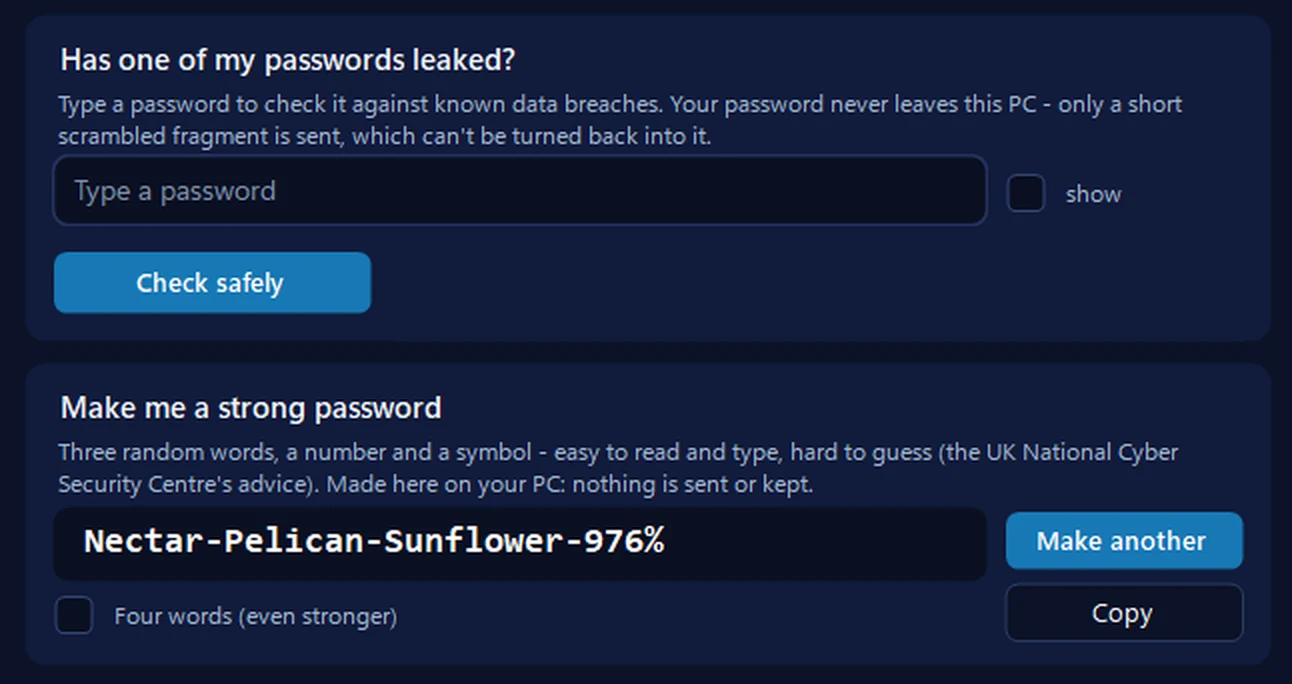
Our free app rates a password as you type it into its leak check: an honest estimate that looks for the most-used passwords, common words and patterns first, then length — and it checks the password against known data breaches too. And when one isn’t strong enough, it makes a new one — three random words, a number and a symbol — with one click.
Everything happens on your PC: nothing typed or made there is sent anywhere or kept, and a password you copy is kept out of Windows’ clipboard history.
In the app: Safety, then Scam check.
Download 365 PC Manager free ↓What else it checks
Made by us, a family IT firm in Bournemouth since 1995, and digitally signed by 365 Techies Ltd.
// GOOD QUESTIONS
Frequently asked
Is it safe to type my password here?
Yes. The check runs entirely in your browser — your password is never sent over the internet, saved, or seen by us or anyone else. If you’d still rather not type a real one, test something with the same length and style.
What actually makes a password strong?
Length, mostly. A long password or a few random words is far harder to crack than a short one full of symbols. Avoid real words on their own, names, dates, and anything you’ve used elsewhere.
Why three random words?
The UK’s National Cyber Security Centre recommends three random words because they make a password that’s long, strong and — crucially — easy to remember. Add a number or symbol for extra strength.
Should I use a password manager?
For most people, yes — it remembers strong, unique passwords so you don’t have to. We can help you set one up safely; just ask. See our cybersecurity support.
// FREE TOOLS
Complete the password check-up
Strength is half the story — generate a better one, and see if yours has leaked. See all our free tools →
Want help locking down your accounts?
We’ll set up strong passwords, a password manager and two-factor authentication with you — patiently, over a secure session, and we always call before we connect.
01202 775566 · help@365techies.co.uk · MON–FRI 9AM–5PM
// HOW IT WORKS
How to check password strength by length
A password strength checker rates how hard your password is to guess, and length matters most — this free tool scores your password higher the longer it is, giving a big boost at 16 characters or more, and it runs entirely in your browser so nothing is sent or stored.
How this checker scores a password (in your browser):
- Length is the biggest factor — each character adds to the score up to a cap, with an extra bonus once the password reaches 16 characters or more.
- Variety adds points — lower-case, upper-case, numbers and symbols each raise the score a little.
- Weaknesses are penalised — containing a common password (e.g. 'password', 'qwerty', '123456'), three identical characters in a row, or a keyboard/number run (1234, qwerty, asdf) drags the score down.
Rating bands: Weak (score under 35) · Fair (35–59) · Strong (60–79) · Excellent (80+).
Step by step
- Type a password to test — Enter a password in the box; the strength bar and rating update live as you type.
- Read the length-based score — Watch the rating move from Weak to Excellent — adding characters lifts the score fastest, with a bonus once you reach 16.
- Follow the tips — Read the plain-English suggestions, such as making it longer or avoiding common words and keyboard runs like 1234.
- Generate a strong one — Tap Generate to create a memorable three-random-words passphrase you can use instead, then Copy it.
- Keep it unique — Use your strong password on just one account and turn on two-factor authentication wherever you can.
Good to know
Does password length really matter more than symbols?
Yes — every extra character multiplies the time a computer needs to guess it, so a long passphrase beats a short password crammed with symbols; this checker rewards length heavily and gives an extra boost at 16 characters or more.
What length should a strong password be?
Aim for at least 12 characters, and ideally 16 or more; below 12 the checker flags it as too short, because length is the single biggest factor in how quickly a password can be cracked.
Is it safe to type my password into this strength checker?
Yes — the check runs entirely in your browser and your password is never sent over the internet, saved, or seen by us; if you would rather not type a real one, test something of the same length and style.