Guests join your Wi-Fi with a single scan
Stop reading out your Wi-Fi password. Make a QR code guests scan to connect instantly — great for cafés, offices, holiday lets and homes. Free, and your password never leaves your browser.
★ Rated 4.9 on GoogleFamily-run since 1995No fix, no fee
Scan to join Wi-Fi
🔒 Made entirely in your browser — your Wi-Fi password is never sent anywhere or stored. Download it, print it, and pop it on the wall.
Sorting out guest Wi-Fi for a business?
We set up fast, secure guest networks (kept separate from your business systems), fix Wi-Fi black-spots with mesh, and make it all just work — for cafés, offices and holiday lets across Dorset.
// ALSO IN OUR FREE WINDOWS APP
Prefer it on your PC?
FREE · WINDOWS 10 & 11 · NO SIGN-UP
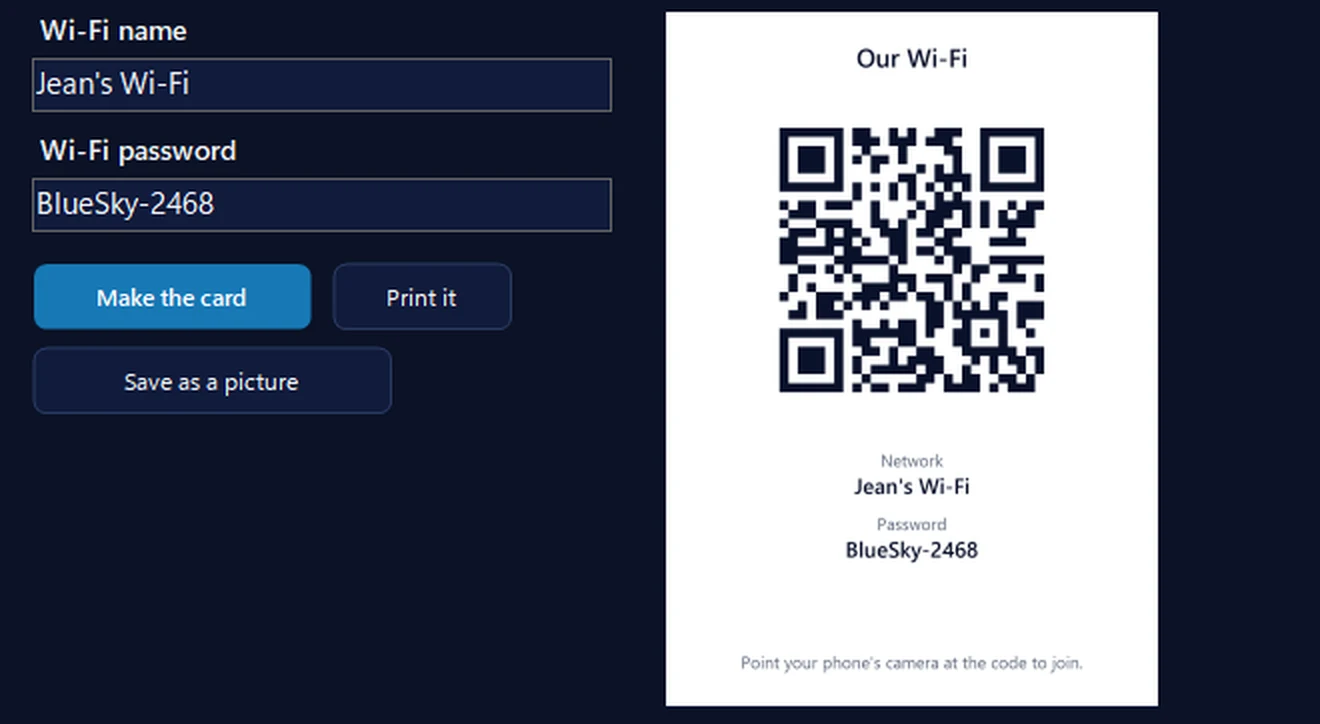
Print a guest Wi-Fi card from your PC
Type your Wi-Fi name and password into our free app and it makes a card with the QR code, the network name and the password on it, ready to print or save as a picture. Visitors point their phone’s camera at it and they’re on. Your password isn’t kept or sent anywhere.
In the app: Internet & email, then More internet tools, then Guest Wi-Fi card.
Download 365 PC Manager free ↓What else it checks
Made by us, a family IT firm in Bournemouth since 1995, and digitally signed by 365 Techies Ltd.
// GOOD QUESTIONS
Frequently asked
How does a Wi-Fi QR code work?
Guests point their phone camera (or a QR scanner) at the code and it offers to join your Wi-Fi automatically — no reading out or typing the password. It works on modern iPhones and Android phones.
Is it safe to enter my Wi-Fi password?
Completely — the QR code is created entirely in your browser, your password is never sent to us or anywhere else, and nothing is stored. You could even disconnect from the internet after the page loads and it would still work.
Where should I put it?
Anywhere guests need it — a café table, reception desk, meeting room, holiday-let welcome pack, or your kitchen. Download it, print it, and display it.
Should guest Wi-Fi be separate from my business network?
Ideally yes — a separate guest network keeps visitors off your business systems and devices. We set this up properly for Dorset businesses; ask us.
What’s WPA, WEP and ‘none’?
It’s your network’s security type. Almost all modern Wi-Fi is WPA/WPA2/WPA3 (leave it on that). WEP is very old, and ‘none’ is an open network with no password.
Wi-Fi that just works
From guest networks and black-spot fixes to whole-building mesh, we sort Wi-Fi for homes and businesses across Dorset — fast, secure and hassle-free.
01202 775566 · help@365techies.co.uk · MON–FRI 9AM–5PM
// HOW IT WORKS
How to make a Wi-Fi QR code for your guest network
This free Wi-Fi QR code generator turns your network name, password and security type into a QR code guests scan to join instantly without typing the password — ideal for a guest network in a café, office or holiday let — and the whole code is built in your browser so your password never leaves your device.
Step by step
- Enter your network name — Type your Wi-Fi network name (SSID) exactly as it appears, including capitals.
- Enter the password and security — Add the Wi-Fi password and choose the security type — WPA/WPA2/WPA3 for almost all modern networks, or None for an open guest network.
- Flag a hidden network if needed — Tick 'This is a hidden network' if your guest network doesn't broadcast its name.
- Download and print the code — Download the QR code as an image, then print it and display it where guests need it.
- Put it where guests can scan it — Place it on a café table, reception desk, meeting room or holiday-let welcome pack so visitors join with a single scan.
Good to know
How do I make a Wi-Fi QR code for a guest network?
Enter your guest network's name, password and security type in the tool above, tick 'hidden network' if it applies, then download the QR code as an image and print it. Guests point their phone camera at it and join instantly without typing the password — perfect for cafés, offices, holiday lets and homes.
Which security type do I pick for my guest Wi-Fi QR code?
Choose WPA (which covers WPA/WPA2/WPA3) for almost every modern router with a password — that's the default and the right choice for most guest networks. Pick None only for a genuinely open network with no password. The tool builds the code to match, so scanning phones connect the first time.
Is it safe to type my Wi-Fi password into this generator?
Yes — the QR code is generated entirely in your browser and your password is never sent to us or stored anywhere. Nothing about your network leaves your device, so it's safe to create the code and simply print the result.